Updating ZloyRouter
1. Determine your CPU architecture
Before downloading, you need to know which file you need. In the terminal, enter:
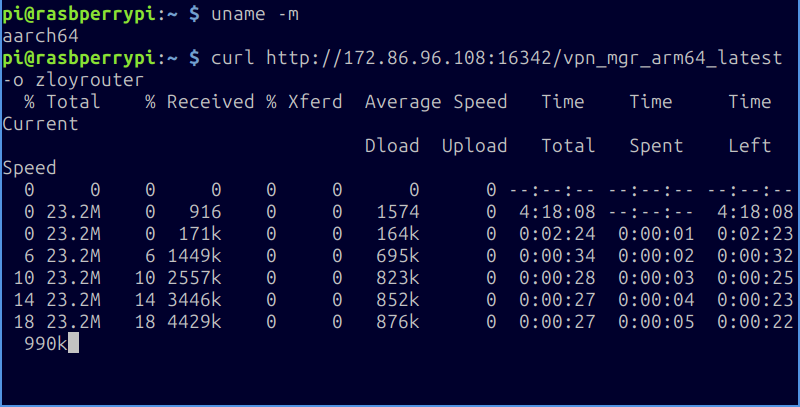
uname -m
The result will look something like this:
aarch64orarm64— this is arm64 (Usually Raspberry Pi 4/5 and newer)armv7lor similar — this is armv7 (Usually Raspberry Pi 3 and older)amd64— this is amd64 (Usually regular PCs/servers running Linux/Ubuntu)
Remember your result (arm64, armv7, or amd64).
2. Update ZloyRouter
- DELETE THE OLD FILE!
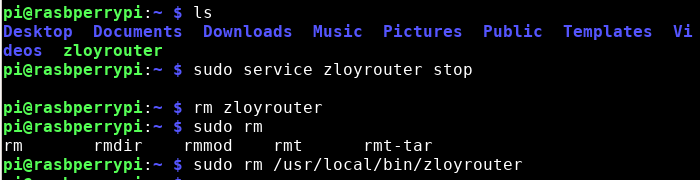
Navigate to the folder where your zloyrouter is located (if you log in by default, you are already there if you followed the installation instructions), and execute:
sudo service zloyrouter stop
rm zloyrouter
sudo rm /usr/local/bin/zloyrouter
-
Download the NEW VERSION
<NEW_VERSION>for YOUR architecture:
You will need to replace<YOUR_ARCHITECTURE>with your result from step 1 (arm64, armv7, or amd64) and<NEW_VERSION>with the current version number (for example, 0.10.5).General download command:
- For armv7:
curl http://172.86.96.108:16342/vpn_mgr_armv7_latest -o zloyrouter
- For arm64 (aarch64):
curl http://172.86.96.108:16342/vpn_mgr_arm64_latest -o zloyrouter
- For amd64 (e.g., Ubuntu on PC):
curl http://172.86.96.108:16342/vpn_mgr_amd64_latest -o zloyrouter
If a specific version is needed, specify it:
curl http://172.86.96.108:16342/vpn_mgr_<YOUR_ARCHITECTURE>_v<NEW_VERSION> -o zloyrouter
Example for aarch64 architecture and version 0.15.5:
curl http://172.86.96.108:16342/vpn_mgr_arm64_v0.15.5 -o zloyrouter
(Choose and adapt the command to your architecture and the required version) -
Make the new file executable (The command is the SAME for all):
sudo chmod +x zloyrouter - Run it as usual:
sudo ./zloyrouter
Done! - ZloyRouter is updated.