Why Does Your Residential Proxy Get Detected?
Testing 9Proxy and Nsocks for Nativeness
A multitude of parameters affects how native a proxy appears to AF (anti-fraud) systems. Currently, the database of our nativeness check service includes: 170 conditions and 2.5 million rules based on a matrix of these conditions. Each has its own weight in deciding who is in front of the system: a home proxy, a datacenter proxy, a VPN in a data center, or a real native user.
When using a proxy, the provider might well assign you a US IP address, while the DNS resolvers turn out to be from Canada or even Africa. But even if the resolvers are from the exact same state, there is no 100% guarantee that the AF system will recognize you as a native user. You need to test it every time.
Below, we will demonstrate the operating principles of AF systems in practice and prove using real-world cases that correct DNS resolvers are still no guarantee that your proxy will be recognized as native.
We connected via proxy2web from 9proxy using this proxy (the proxy is configured in ZloyRouter, and we are connected to the Raspberry Pi's Wi-Fi):
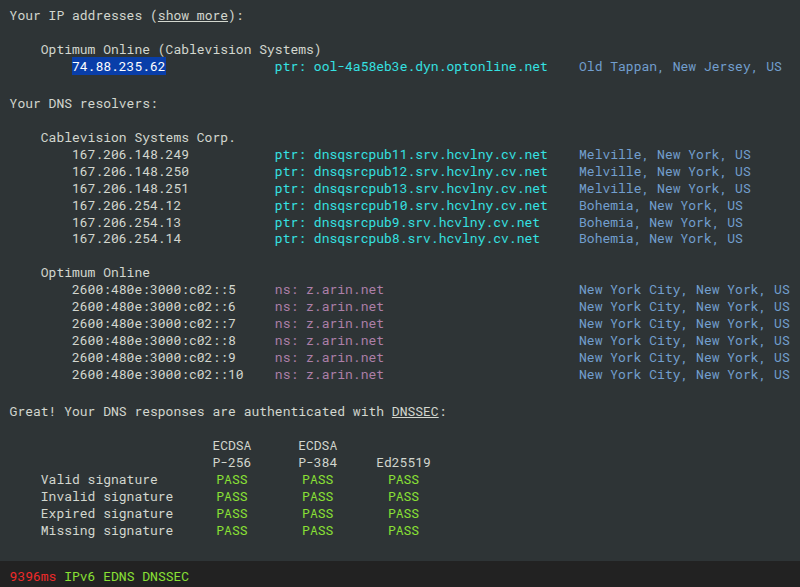
Now let's check its nativeness. We copy the data and send a verification request to our nativeness server:
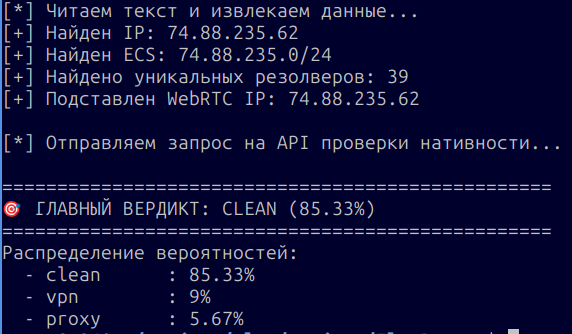
As we can see, the verdict is that we are a clean user.
In this article, we will show you 2 ways to use the dnsdetect.zl0y.team service: via an API request, so you understand its underlying principles, and via a check directly on the website—the way 99% of users will use it.
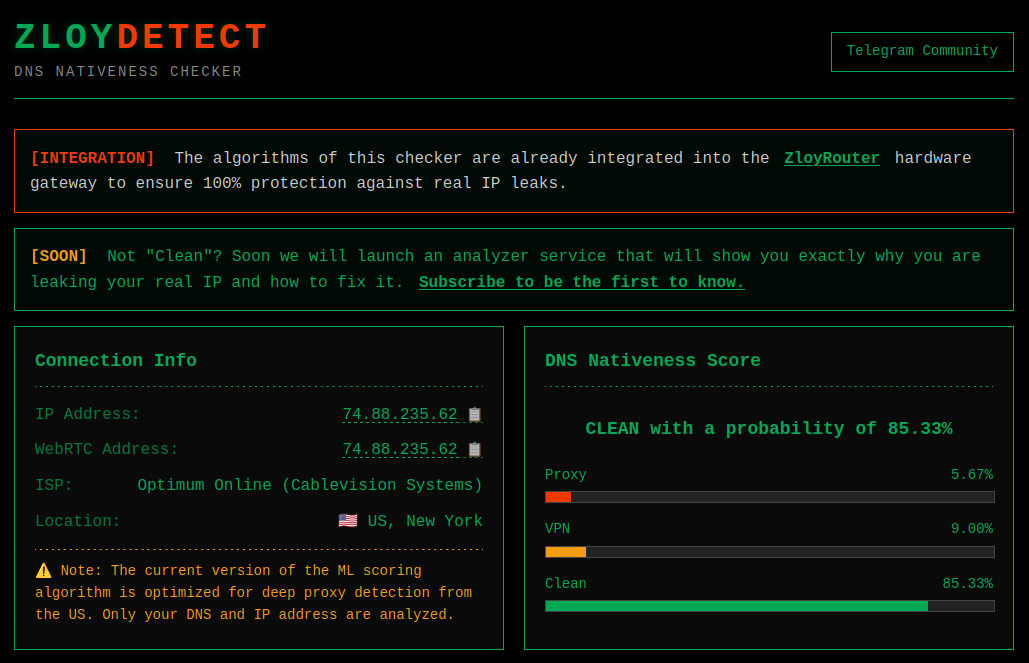
How come? Where's the catch?
Let's break it down.
Why Did Anti-Fraud Return CLEAN?
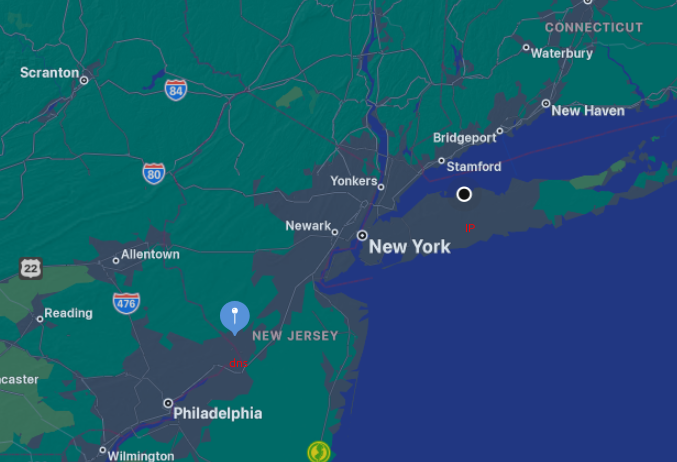
The anti-fraud system makes a decision based on the matching of multiple factors (over 2.5 million rules). In our latest test, all the stars of an ideal profile aligned:
1. Residential IP: 9Proxy gave us the IP 74.88.235.62. This is a real pool of home addresses belonging to the provider Optimum Online (Cablevision Systems).
2. Perfect DNS Match: Our dnscheck.tools output featured resolvers from the exact same provider, Cablevision Systems Corp (167.206.148...).
3. Correct ECS: The ECS subnet 74.88.235.0/24 matched our IP perfectly.
4. WebRTC Magic: We sent a 100% matching webrtc_ip: "74.88.235.62".
5. The remaining 2,499,996 rules also confirmed that the profile was as natural as possible.
Now let's test non-ideal profiles:
Experiment 1: Simulating Disabled/Blocked WebRTC
Standard anti-detect browsers often simply disable WebRTC. For anti-fraud systems, a residential user without WebRTC is a huge red flag.
We changed nothing except setting WebRTC to empty in the request to our nativeness service.
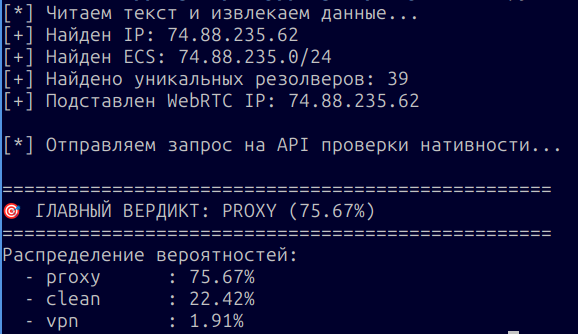
The situation reversed completely. Blocking WebRTC instantly slapped a red Proxy flag on us.
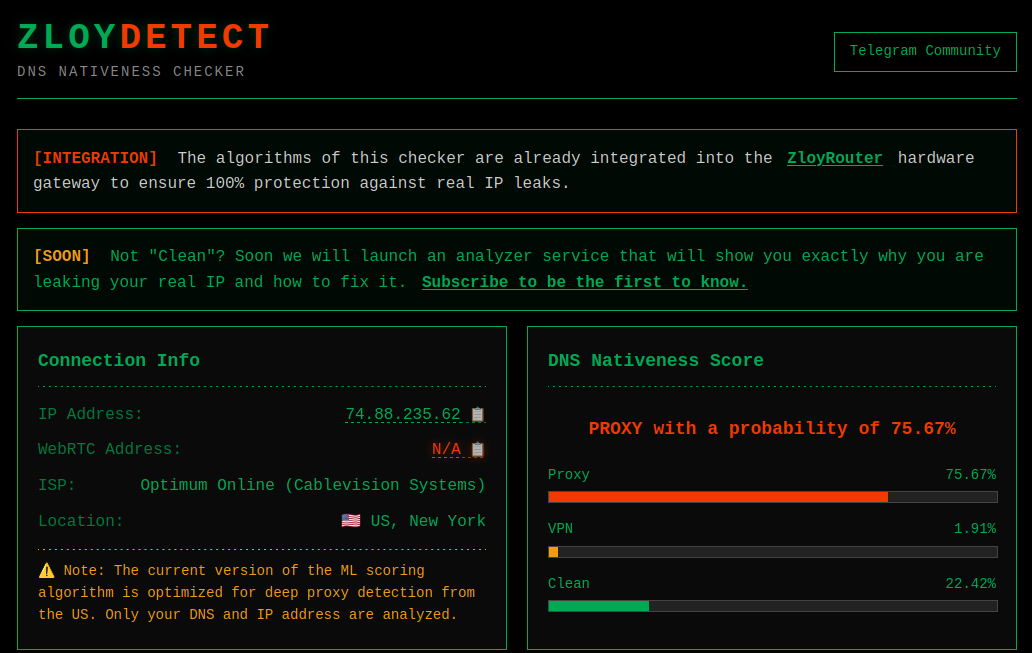
Experiment 2: Simulating "Dirty" DNS (What ZloyRouter Protects Against)
Imagine you bought this residential IP from Optimum, but 9Proxy routed DNS queries through Cloudflare, Google, or datacenter servers (e.g., DigitalOcean).
As a result, anti-fraud will see a mismatch: the IP is residential, but DNS queries originate from a server datacenter. The PROXY probability will immediately outweigh the rest.
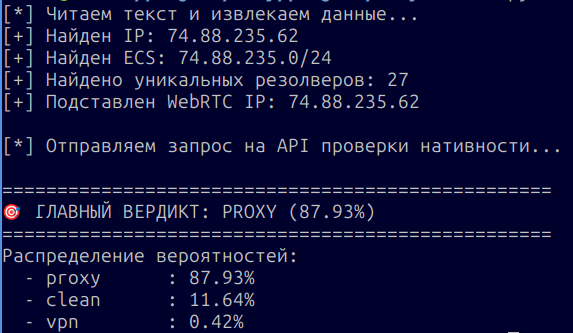
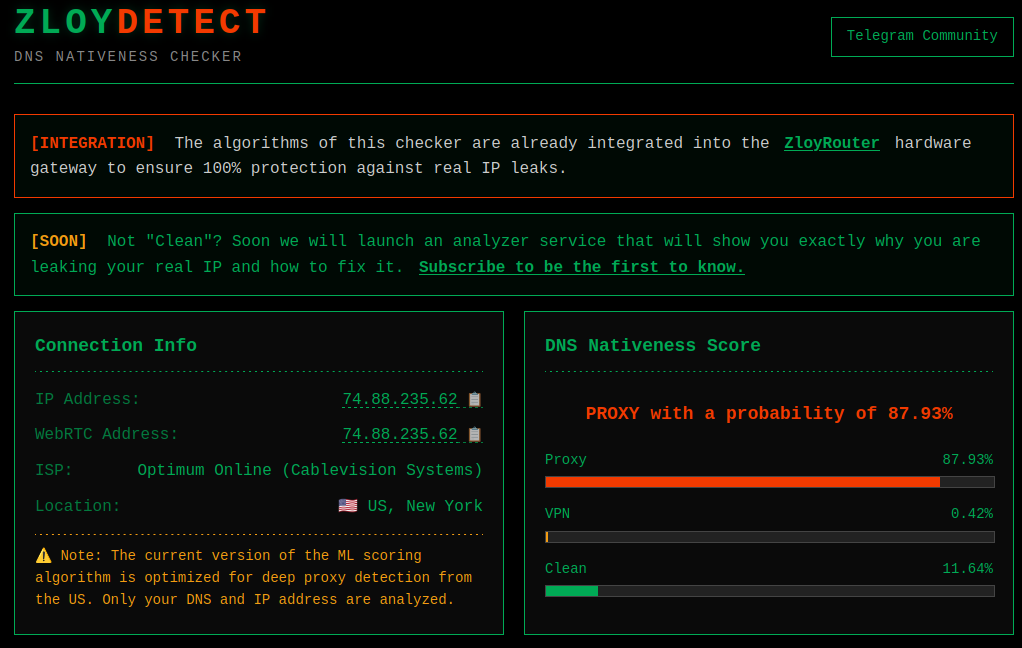
The probability of proxy detection increased even further.
Here is how it looks in the dnsdetect.zl0y.team service:
Tests on Real Proxies
Testing 9Proxy
You might say: "these are all just your guesses and synthetic tests". Fair enough—below, we simply went through 10 proxies from 9proxy, and by the 4th attempt, we were handed these:
Warning: During testing, we intentionally did not use WunderDNS to demonstrate the classic setup without ZloyRouter.
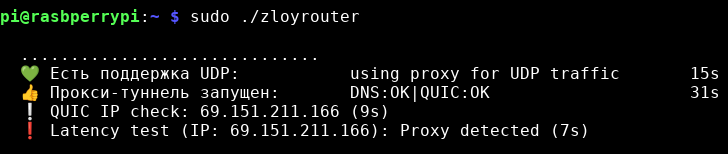
We connected to the proxy, and according to initial parameters, everything looked fine.
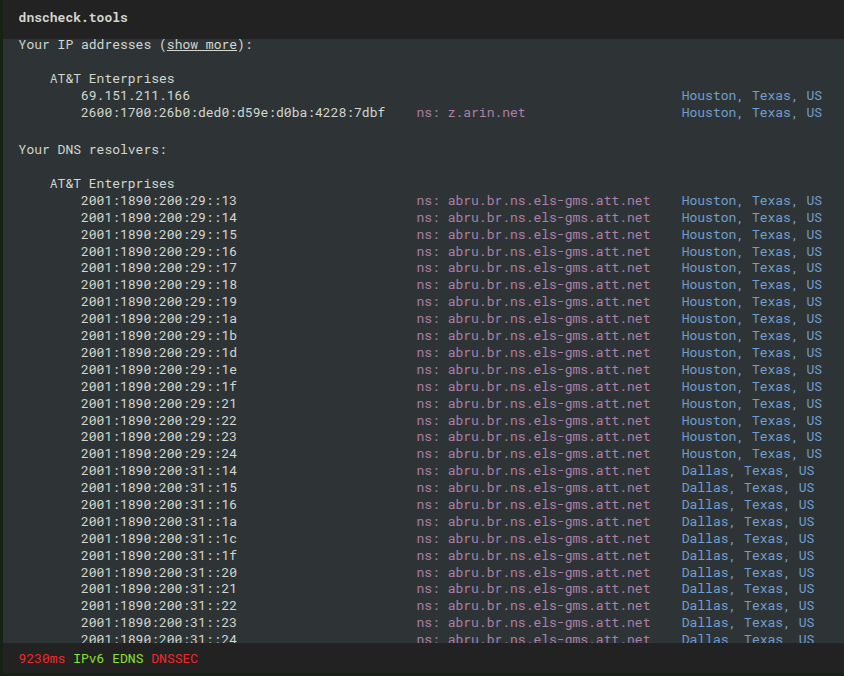
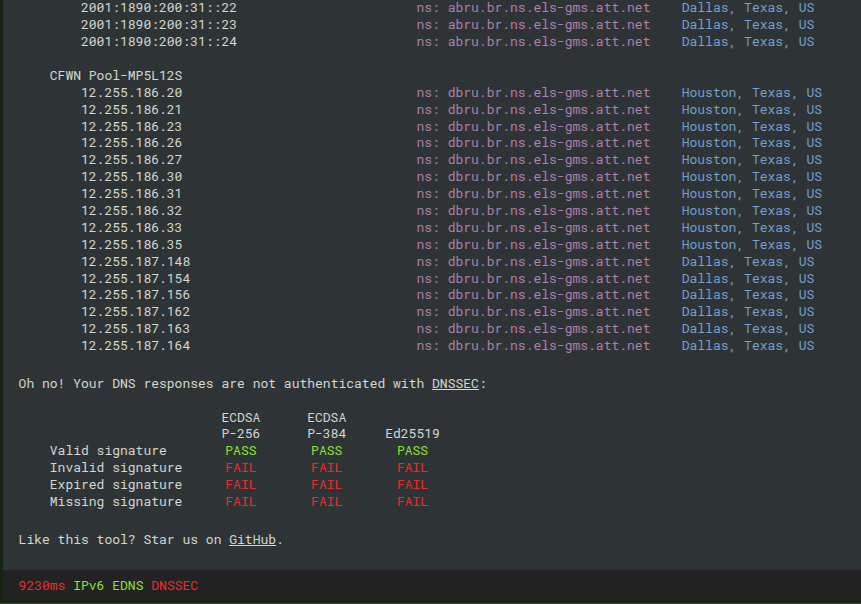
We checked the DNS resolvers—on the surface, everything looked normal too. The resolvers returned were local and from the same state.
We copy the page containing the resolver test results and send it for testing to our DNS and IP nativeness verification service:
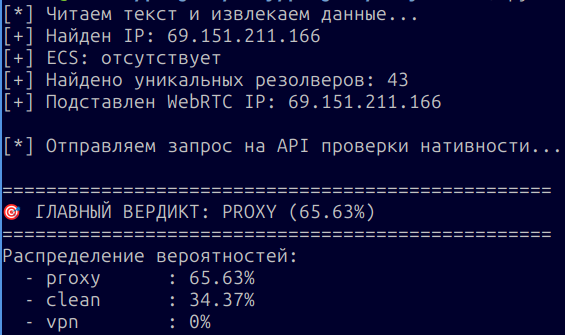
We get a Proxy probability of 65%. We can see that ECS is missing—this happens with residential ISPs when there are no public DNS resolvers at all.
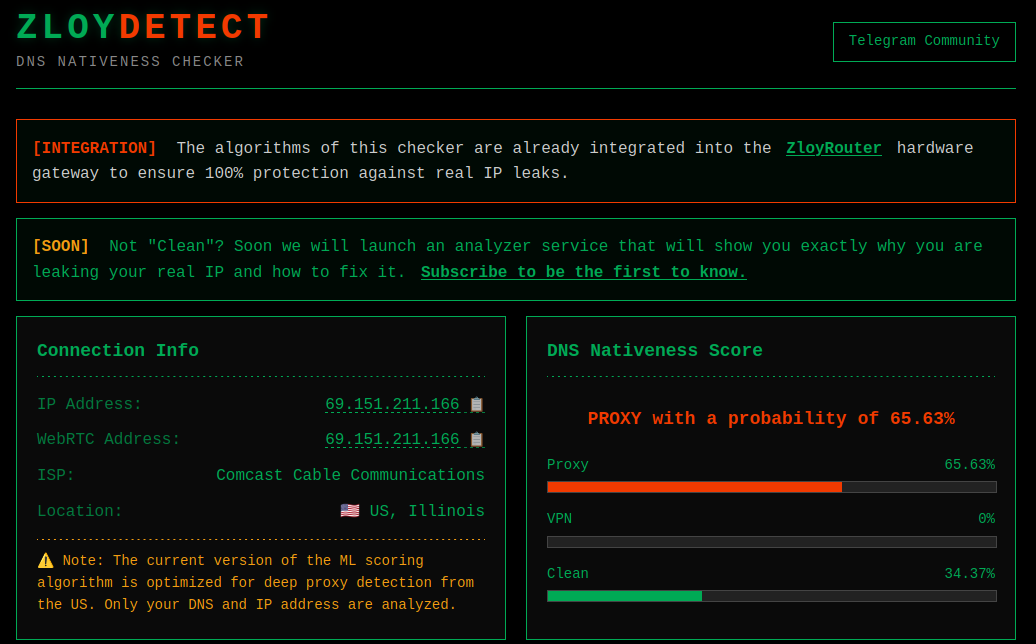
A logical desire arises: "Aha, now I'll manually insert a relevant ECS and everything will be fine". Let's try to fool the anti-fraud and insert an ECS from the same subnet:
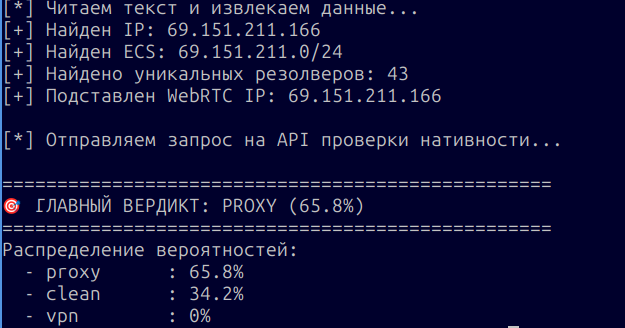
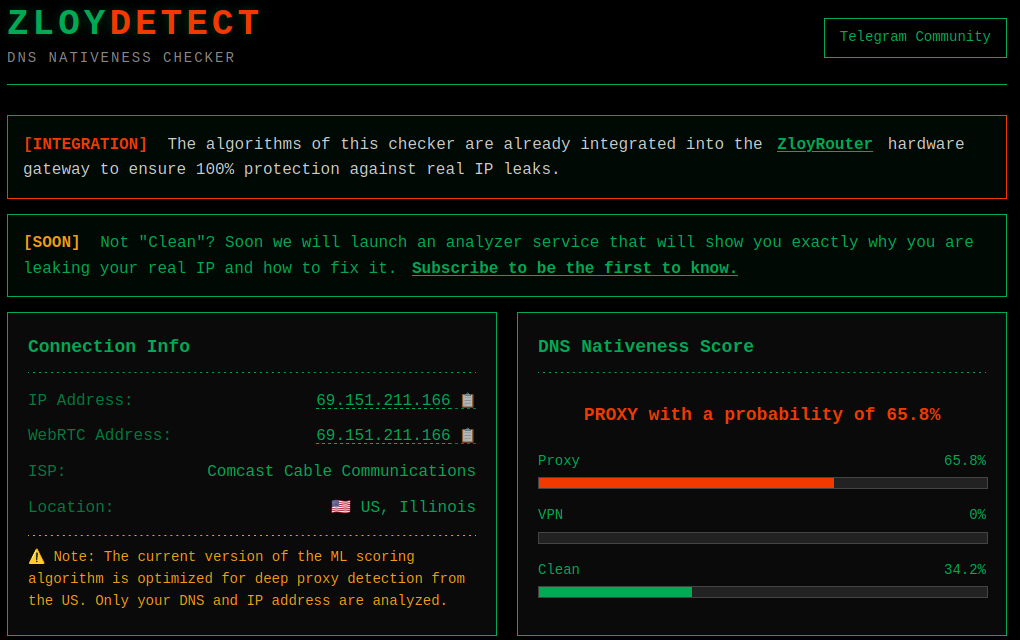
It didn't work! The Proxy probability percentage actually increased slightly.
The same on the dnsdetect.zl0y.team website:
Let's test one more proxy, just to be sure.
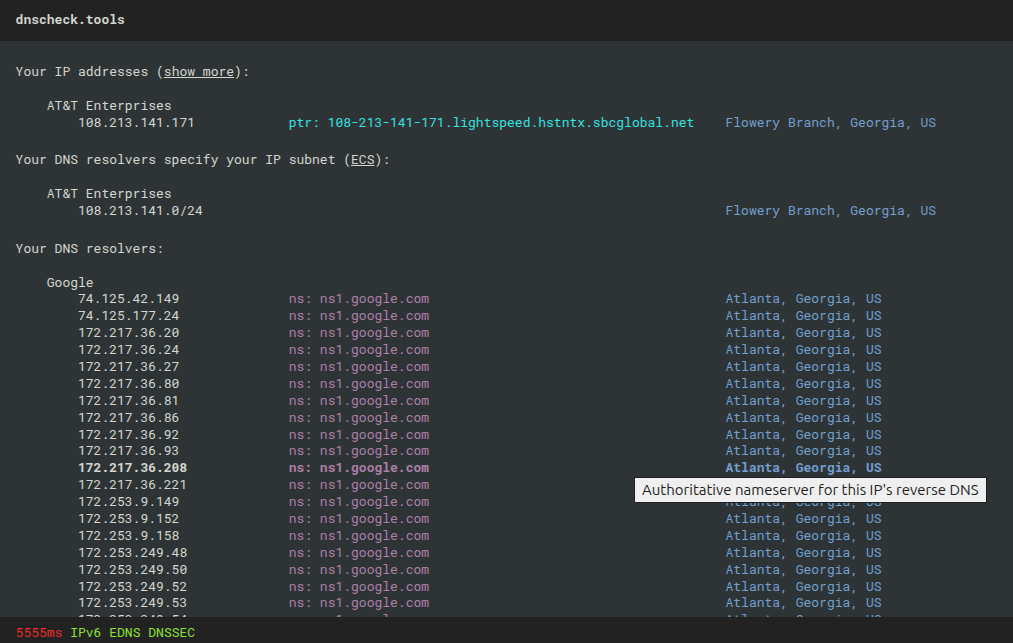
Testing:
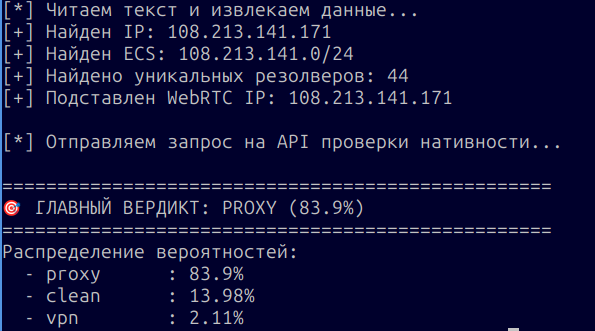
And we immediately get proxy detection.
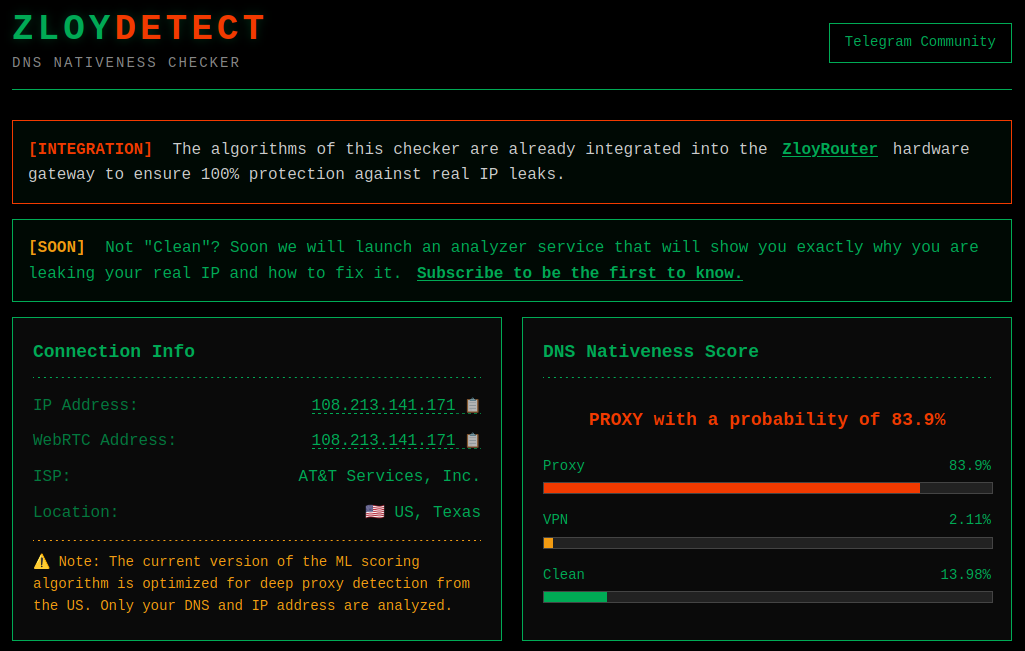
You could keep cycling through proxies, and the results would vary. As the saying goes, "it's hit or miss."
Testing Nsocks
First, a quick digression. In our Nsocks dashboard, we had several previously purchased proxies that hadn't been used for a couple of weeks. To start, we took those
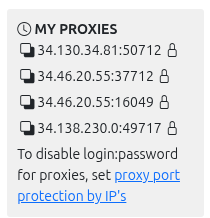
And tried to use them:
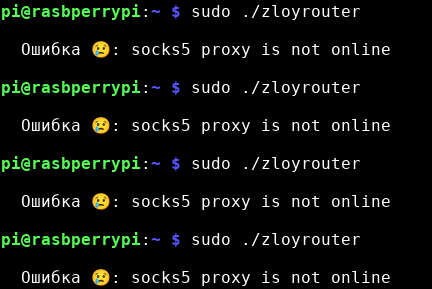
Nothing worked—all dead.
Let's go shopping! Buying fresh US proxies!
Test #1
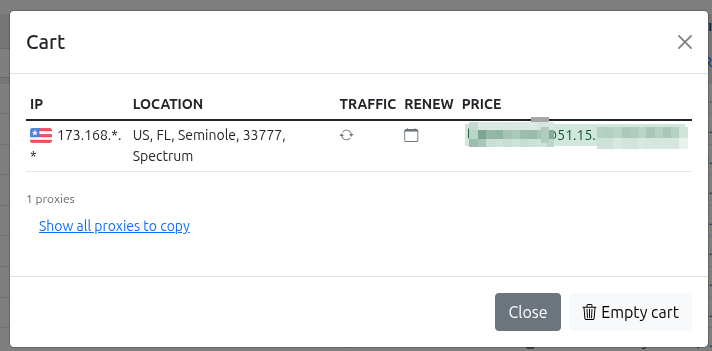
By the way, this is an expensive $1 proxy...
During the initial proxy test phase, ZloyRouter informs us that it does not support UDP
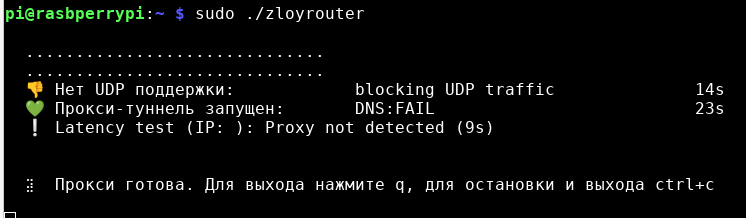
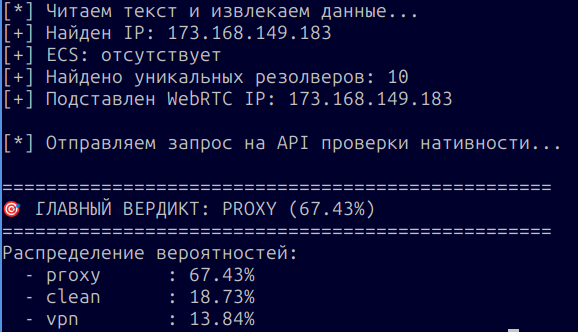
Unfortunate, but what if we get lucky?! We gather resolvers and run the test.
The exact same thing happens in 1 click when visiting the checker site dnsdetect.zl0y.team:
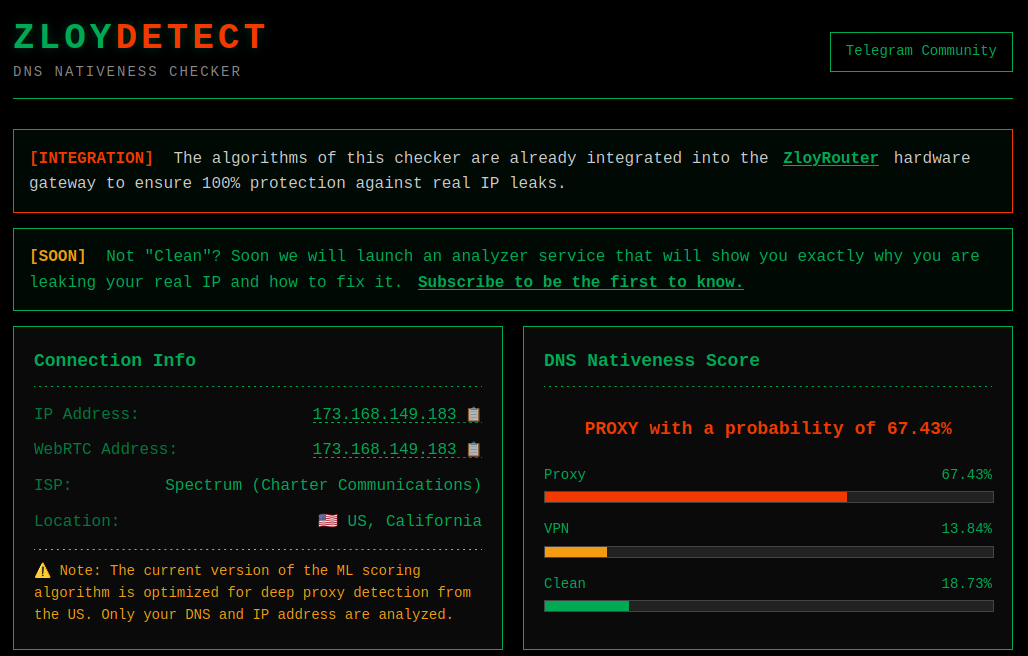
Verdict—an ambiguous proxy, a mixed bag of proxy, VPN, and clean user traits.
Test #2:
By the way, starting from the second test, we applied a stricter filter to get better ones:
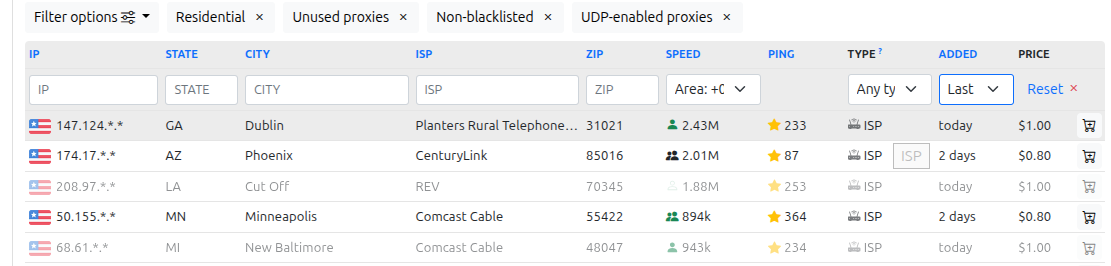
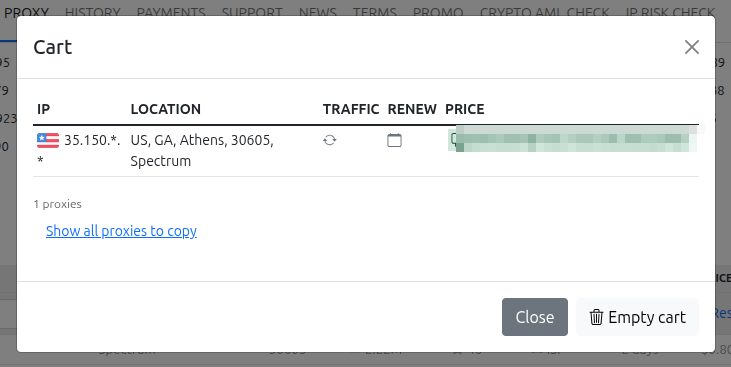
Buying a new proxy.
Testing on the checker site dnsdetect.zl0y.team:
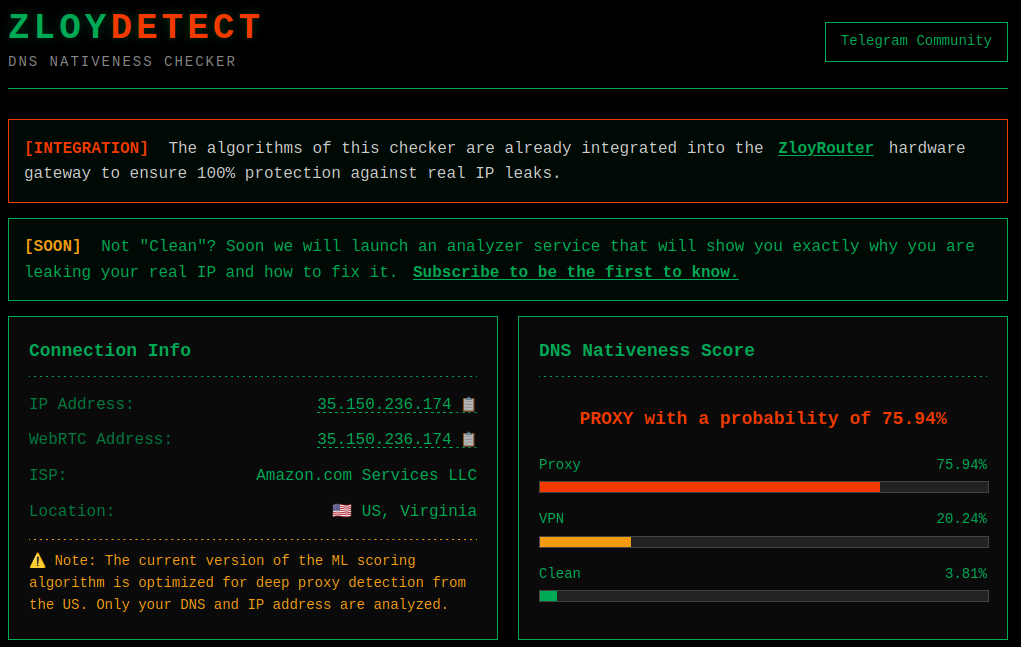
As we can see, a 3-day proxy with UDP support for $1 showed worse parameters than the first random one.
We don't give up; instead, we dive headfirst into the "find a decent proxy" quest. It turns into a sport. Since 9proxy didn't pay us for advertising, we want to find a good one on Nsocks as well.
Test #3:
New test—new proxy

A fresh residential proxy from a cable provider for $1
Visiting the site using this proxy:
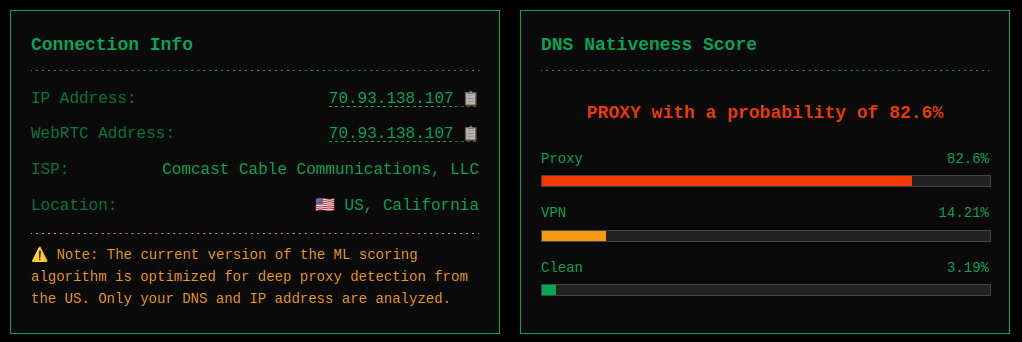
In this test, our IP is 70.93.138.107. Again, everything looks perfect at first glance: WebRTC is set correctly, and the ECS subnet matches completely. But due to anomalies in the DNS resolvers (a whopping 98 of them!), the algorithm confidently sounds the alarm: PROXY (82.6%).
Test #4:
Next one

Inserting into ZloyRouter:

Collecting DNS resolvers:
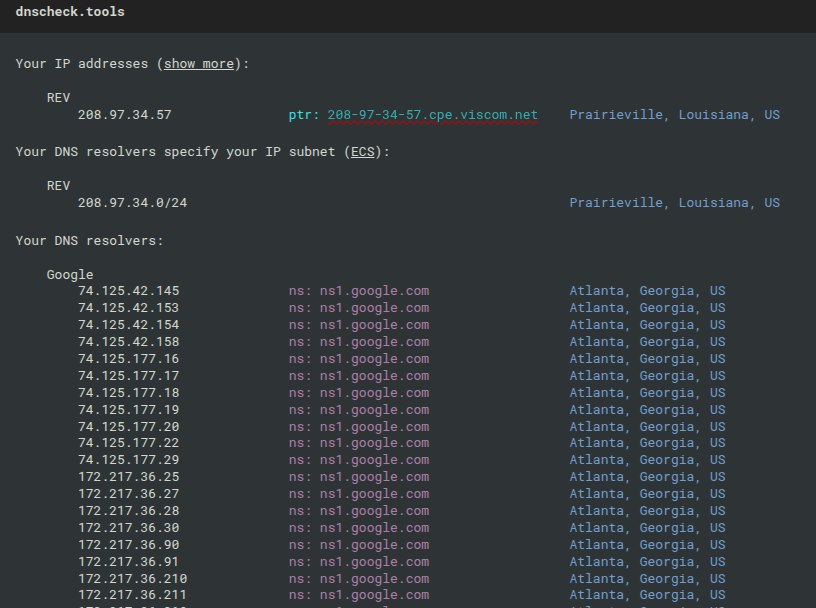
Here we see a dominance of Google resolvers...
Submitting for verification:
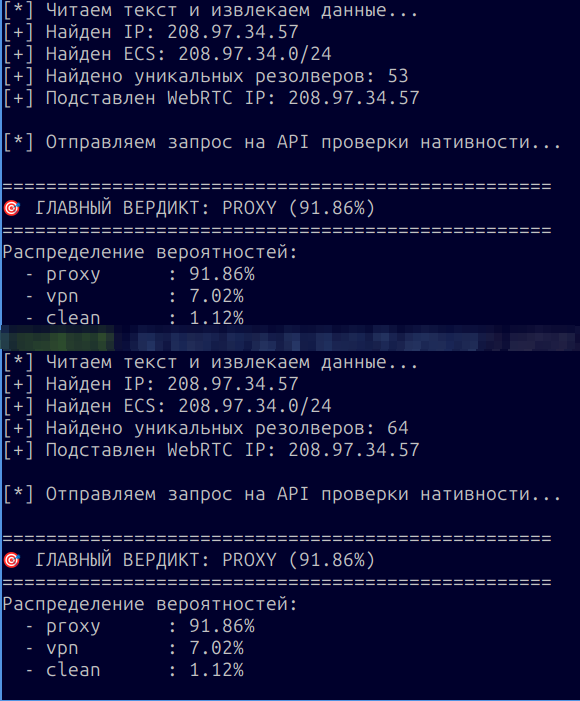
During the test, we accidentally ran the proxy through the check a second time—the results were identical to the previous test, proving these metrics are statistically reliable rather than random. The fact that the number of collected resolvers changed slightly (from 53 to 64—a common occurrence when DNS balances load), yet the neural network produced an identical result down to hundredths of a percent, proves that the model is deterministic.
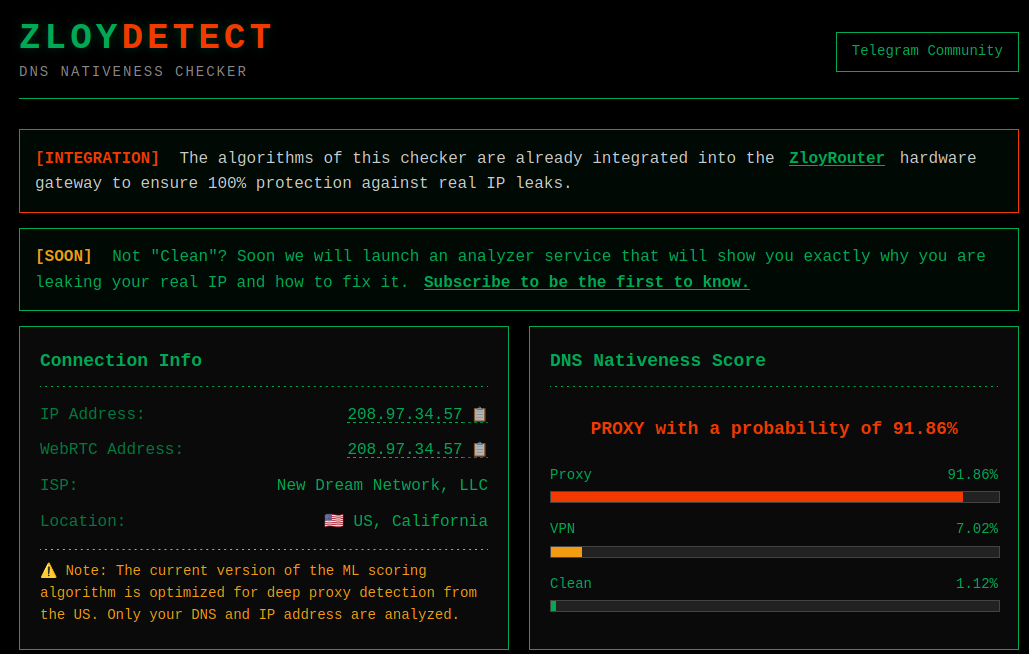
"What the hell???" you might think—surely it's all rigged!
But as you can see, detection probabilities vary across different proxies, while repeated runs on the exact same proxy yield identical results.
Test #5:
Alright, the last one )
This proxy, by the way, isn't $1, but $0.80

Inserting into ZloyRouter:
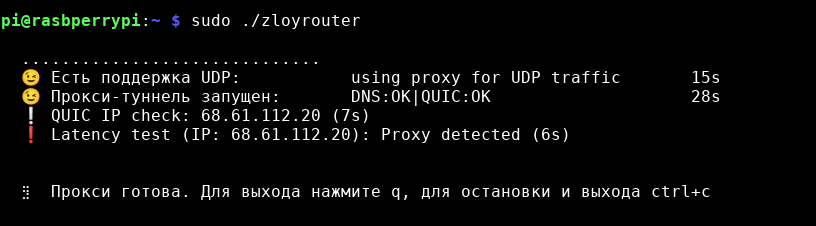
It detects that UDP support is present and detects the proxy via Latency test
Checking by visiting the site dnsdetect.zl0y.team:
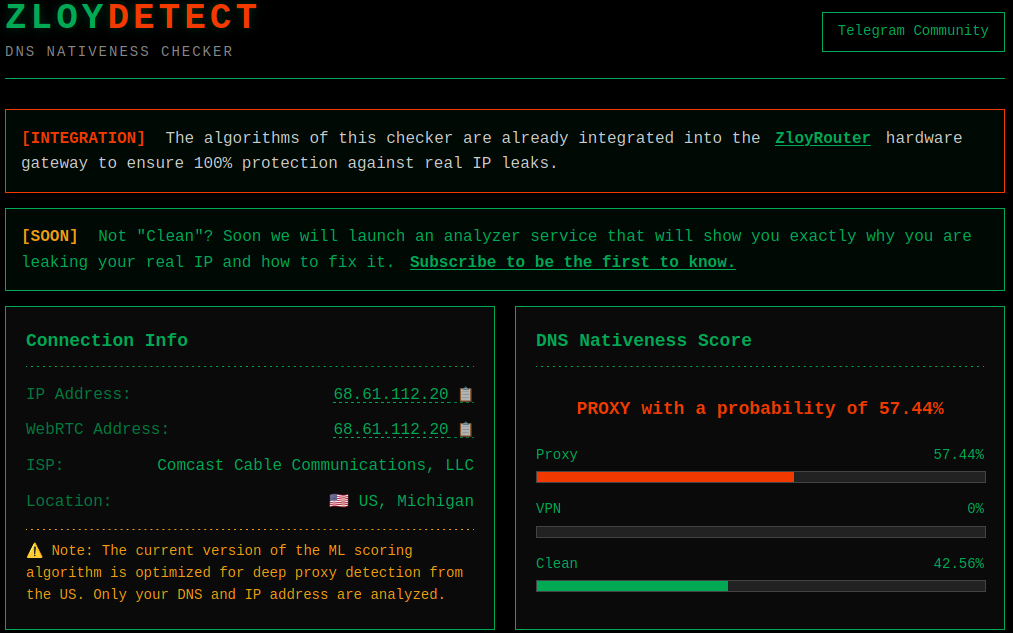
A small miracle—we see that cleanliness scores jumped significantly, and proxy detection is just over 57%—the lowest result across the entire Nsocks test.
We are confident that by testing another two or three proxies, we would easily find an ideal one on Nsocks as well.
Summing Up: Proxies Are a Lottery
As you can see, buying even an expensive "residential" proxy does not guarantee a clean profile. Providers mix pools, balance DNS queries through datacenters, and standard anti-detects make matters worse by blocking WebRTC, waving a red flag right at anti-fraud systems.
Finding an ideal proxy through blind trial and error is time-consuming, expensive, and dangerous for your accounts.
Stop guessing. Check.
We have moved our detection algorithm from a private API to a convenient public interface. Now you don't need to write scripts or inspect console logs. A check takes 1 click and ~20 seconds.
👉 Check your proxy right now: dnsdetect.zl0y.team:
Visit the site with your proxy/VPN enabled and see how protection algorithms view you:
- Are you leaking your real IP via WebRTC?
- Do your DNS servers match the declared provider?
- And most importantly—what is your actual nativeness percentage (Proxy / VPN / Clean).
🛡 How to make any proxy 100% "Clean"?
If you are tired of cycling through proxies in search of a perfect DNS and ECS match, remember: intelligent DNS spoofing (VDNS) and hardware-level UDP leak prevention are already built into ZloyRouter. The router automatically pulls the correct native DNS for your proxy, forcing anti-fraud systems to see you as an ideal residential user.
🏴☠️ Welcome to Zloy Party
Want to discuss these non-obvious mechanics of anti-fraud systems without the information noise?
We know what many niche chats look like today: thousands of pointless messages, toxicity, scammers at every turn, and a complete lack of actionable information. Finding a grain of real knowledge there has become nearly impossible.
That is why we created Zloy Party —a private community for those who value their time, professionalism, and work for results.
What awaits you inside:
-
🚧 Strict audience filtering: A nominal paid entry fee ($5 per month) weeds out 99% of spammers, trolls, and "easy money" seekers.
-
🤫 Insiders and early access: Things we will never publish publicly. Deep dives into WAF algorithms, new fingerprint spoofing methods, and beta tests of our private tools.
-
🤝 Healthy networking: Only engineers, practitioners, and clients of the ZloyTeam ecosystem. Real-world experience exchange, not dry theory.
-
👁🗨 Direct line to the team: Direct contact with ZloyRouter developers and prompt answers to your hardcore technical questions.
Stop wasting time on idle chat. It's time to get to work.
🔗 Get your private club pass (Zloy Party Pass)
📢 And you can follow public project news and open updates of our checker in the main channel: @ZloyTeamNews